Floorwalk

Walk through your new home before it's built.

We turn your builder's plans into a 3D home you can explore on screen, in a VR headset, or standing on your own slab at full size.

This isn't an AI guess at your home. Every wall, door and window is measured from your actual plans and placed at true scale, so what you walk through is what gets built.

Serving Perth, Western Australia

Lux Realistic look and feel in every room.

How it works: From PDF plans to walking the rooms.

No software to install. No ongoing subscriptions. Simply send us your plans and explore your home in any web browser on any phone, tablet, computer or VR headset.

  1. Send your plans

    Your builder's PDF plans, plus a few photos of styles you like if you're choosing Mid or Lux.

  2. Sign in and explore

    You get your own secure login. Open your home any time, on any device, as often as you like.

  3. Safe and secure

    Your model stays secure on the platform, and plans are disposed of on our end after your model is uploaded.

Choose your level of detail.

Each level includes everything in the levels before it, and you can upgrade at any time without starting again.

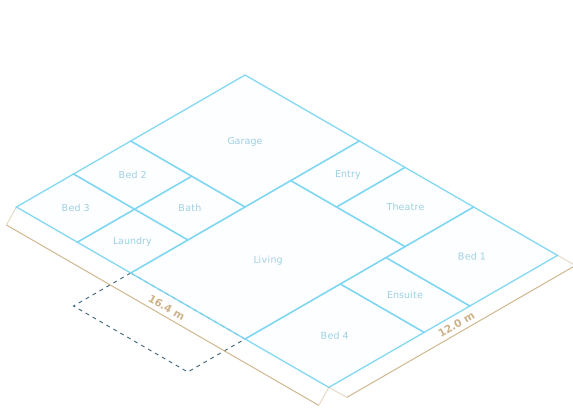
Floor plan level: room outlines and names at true scale

Floor plan

Your layout at true scale, with every room named.

  • Mark out rooms on the real slab
  • Check room sizes before you lock them in
  • Walk around your plan to get a feel for scale
  • Best at or before PPA stage, when assessing floor plan options

Quoted for your plans

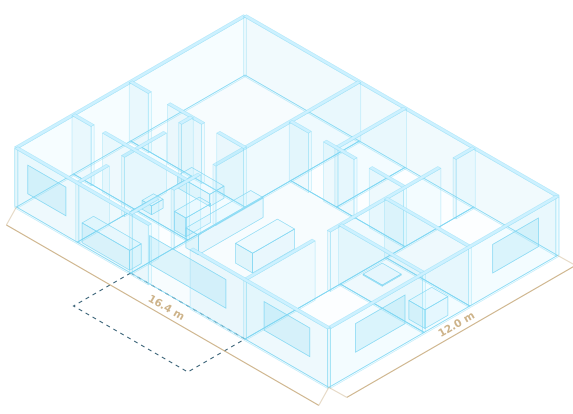
Basic level: walls, doors, windows and fixed kitchen and bathroom items in 3D

Basic

A full 3D, accurate, schematic model of your home.

  • Walls, doors, windows, ceilings and roof
  • Kitchen, bathrooms, laundry and robes from your plan
  • Unfurnished, to judge flow, sightlines and ceiling heights
  • Ideal for finalising PPA or before prestart

Quoted for your plans

Most chosen
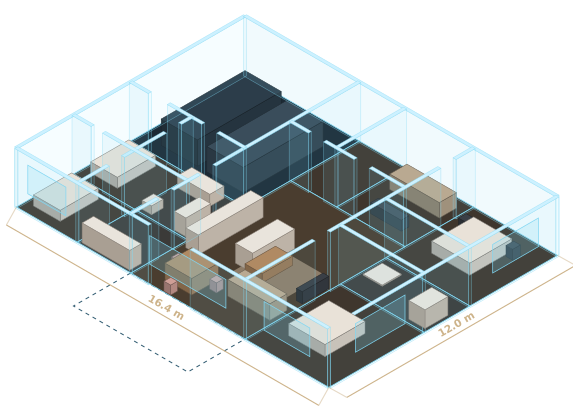
Mid level: every room furnished and styled

Mid

Furnished and styled to suit you.

  • Flooring, cabinetry, benchtops and furniture in every room
  • Styled from the inspiration photos you send
  • See how a sofa, bed or dining table really fits
  • Get a real feel for what your new home will look like

Quoted for your plans

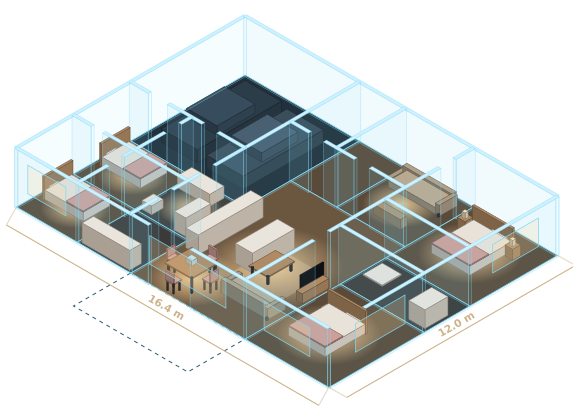
Lux level: realistic lighting, textures and furniture in every room

Lux

Realistic look and feel in every room.

  • Morning light and evening glow that look real
  • Photo-realistic textures
  • Want to show off a sneak peek of your new home to friends and family? Consider this option!

Quoted for your plans

Every level works in all three ways to explore.

Three ways to walk through it.

Use whichever suits the moment: a quick look on your phone, a proper walk-through in VR, or standing on the block.

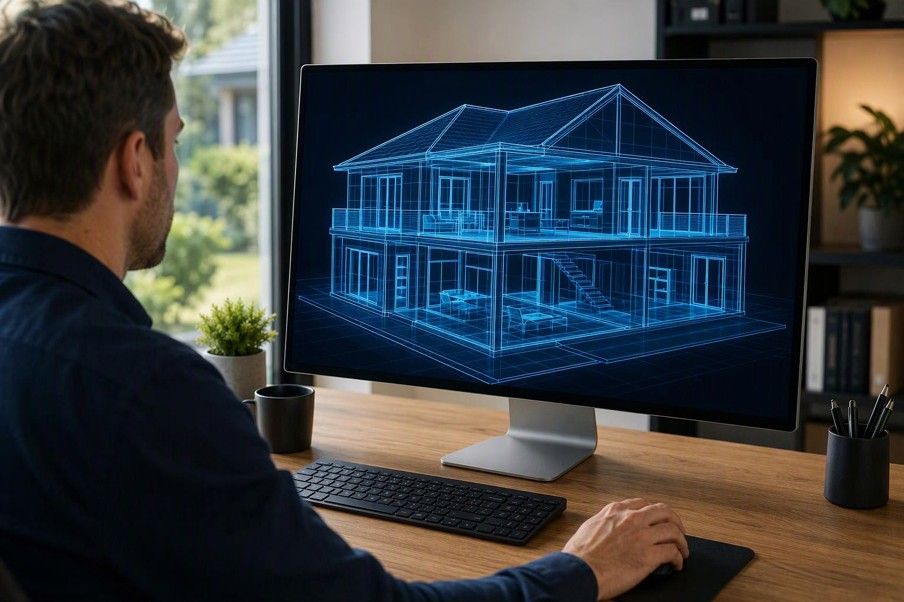
A person exploring a glowing blueprint model of a two-storey home on a desktop monitor

Explore on screen

Any computer, tablet or phone

Spin the house around, walk through at eye height, lift the roof off, and jump straight to any room.

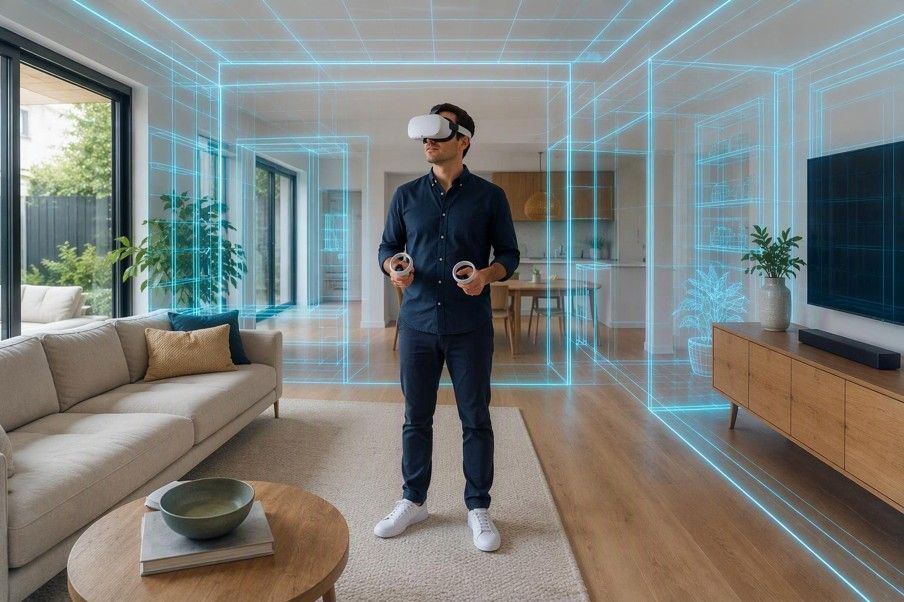
A person in a VR headset standing in a furnished living room, with hologram outlines of the walls around them

Room tour in VR

VR headset

Choose a room from a floating menu and stand in the middle of it at real size. The best way to judge space.

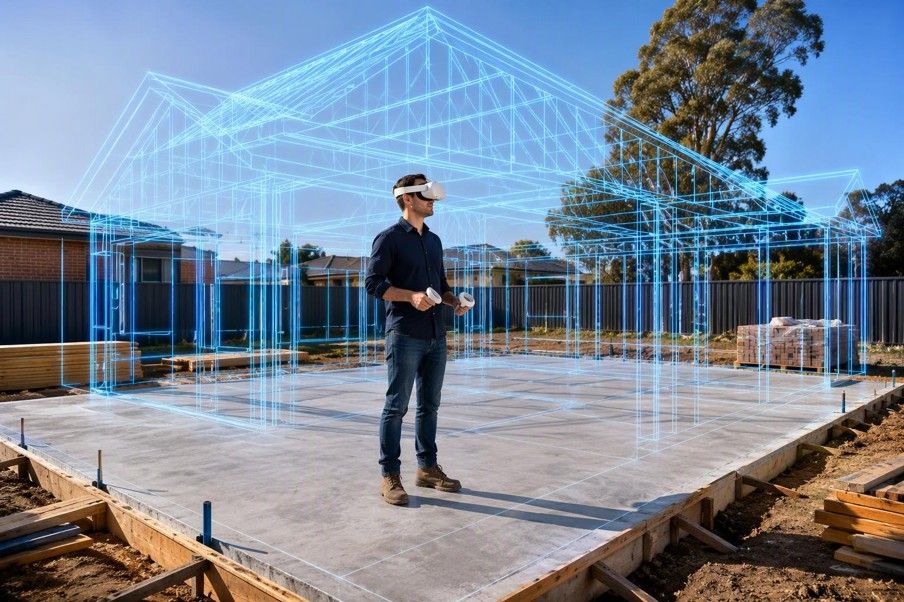
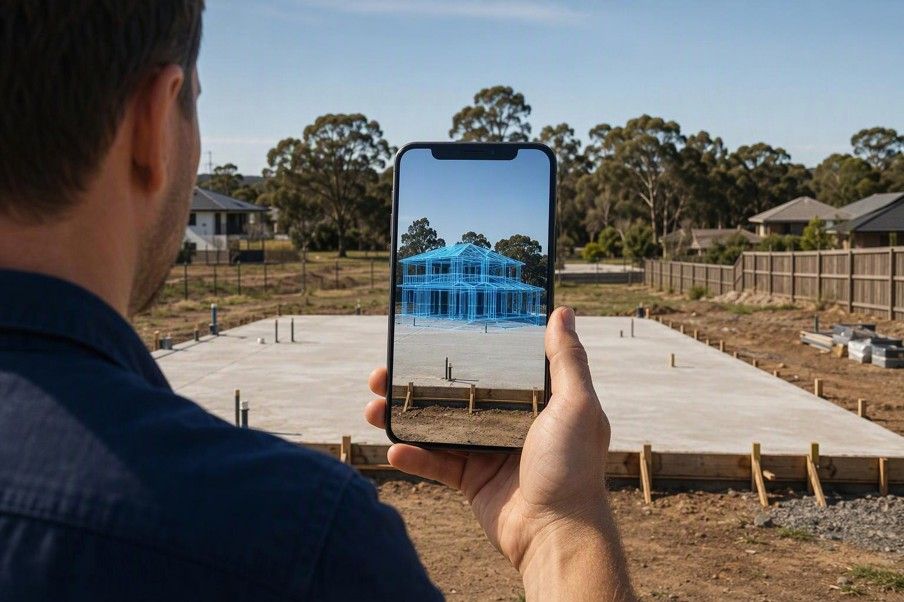
A person in a VR headset on a concrete slab, with the house frame drawn around them at full size A person holding up a phone on site, showing the 3D house standing on the slab

Explore on site

VR headset or mobile phone

Stand on your slab and watch the walls rise around you at full size, lined up with the real corners.

Prefer a guided tour? We'll meet you on site with a headset and walk you through your home. It works even without phone reception.

Ask about a guided tour

Your plans stay private.

  • Only you can open your home, using your email and a PIN.
  • Your model lives on our secure platform and is never sent around as a file.
  • Every view is marked with your job number, so it's always clear whose home it is.

Questions.

Do I need a VR headset?

No. Your home opens in the web browser on any phone, tablet or computer. A headset is the most immersive way to see it, and we can bring one if you book a guided tour.

What do you need from me?

Your builder's PDF plans. For Mid and Lux, a handful of photos of rooms and styles you like. If you don't have any, we'll use a clean, modern default.

Will it work with my builder's plans?

Yes. Plans exported straight from the builder's drawing software work best. Scanned or signed copies work too, with an extra check before we build.

How accurate is it?

Your home is built at true scale from your plan's dimensions and checked against the plan's room sizes. It's a visualisation to help you decide, not a construction drawing, so always confirm details with your builder.

Will the furniture, fittings and finishes be exact?

Everything structural is exact: walls, doors, windows, floor layout and ceiling heights come straight from your plans at true scale. Styling is different. Furniture, fittings, colours and finishes are based on the inspiration images you send us, so they're a close approximation of your look rather than the exact products and selections you've chosen.

Can I make structural changes in my model?

We don't make structural changes, like moving walls, doors or windows. Those changes need to go through your builder, so they're reflected in your plans and contract. Once you have an updated plan, send it to us and we'll take you through updating your model.

What if my plans change?

Send us the revised plans and we'll let you know what's involved in updating your home. Your login stays the same.
Book a walkthrough.

Tell us a little about your build and we'll reply with next steps and how to send your plans.

Already a client?Open your home

We only use your details to reply to you. Privacy

How Floorwalk works

Send us your house plans, choose your level of detail, log in to the portal to start experiencing your new home, and upgrade at any time.

Book a walkthroughCompare levels